Features

Everything a building project has to keep track of

projectreepo covers the formal document flow between consultants, contractors and clients, and keeps a full history of every item.

Contractor submittals

Submit, review, decide, on record

Contractors upload technical submittals, method statements, calculations and shop drawings. The ID is generated for them. Reviewers are notified, and each decision is stamped and receipted.

  • One or more reviewers per submittal: project admins and/or the Client / Employer
  • Formal decisions: approved, with comments, as noted, in principle, revise & resubmit, rejected, on hold
  • Revisions A / B / C with the full decision history kept for each
  • Side-by-side compare of two revisions and in-browser PDF markup (clouds, arrows, text, measurements, comments)
  • PDF receipts per decision; corrections supersede, never overwrite
  • Review deadlines with overdue flags, and an export of the register to Excel
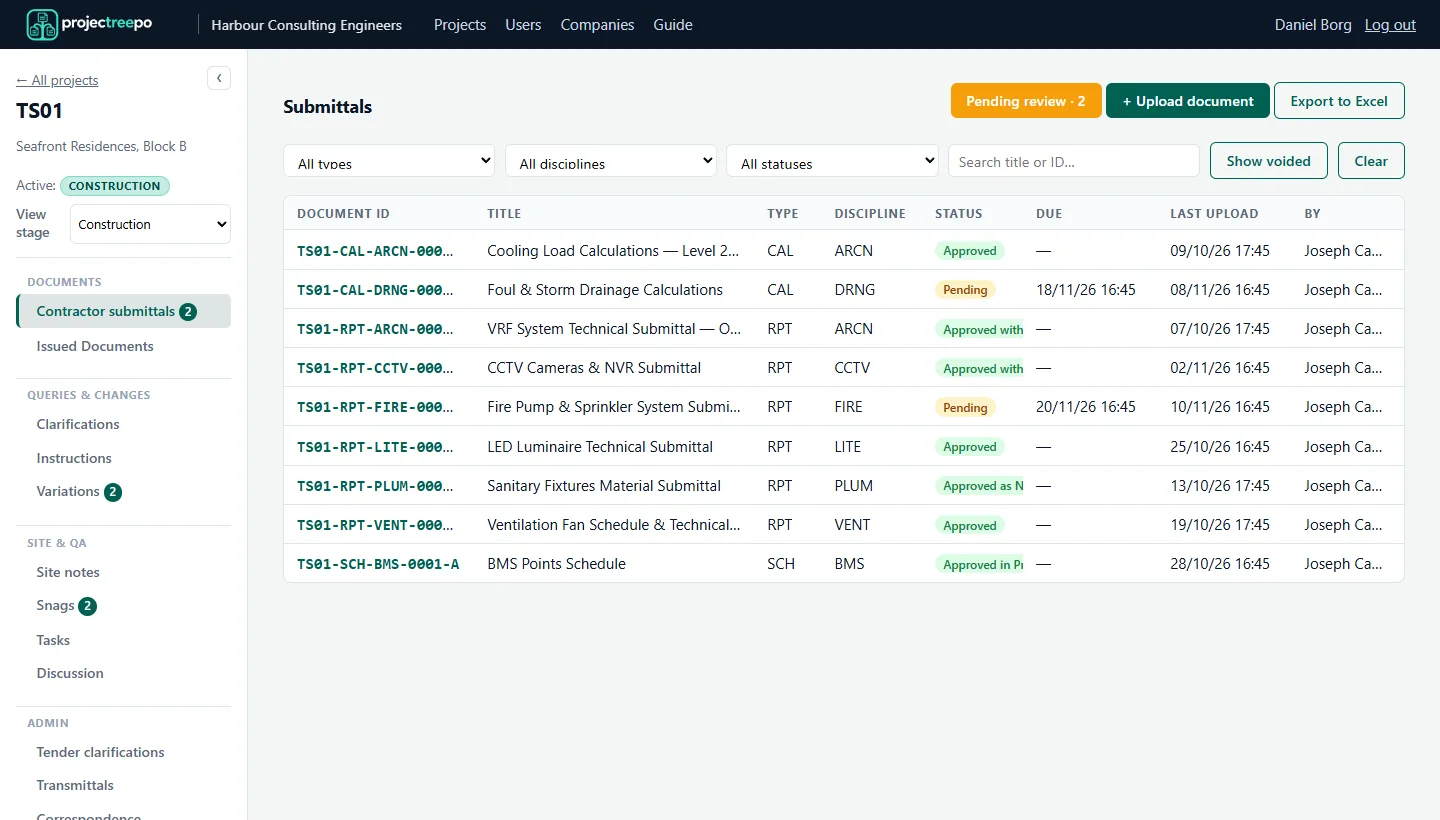
Submittals register with statuses
Issued documents & transmittals

Know exactly what was issued, and who received it

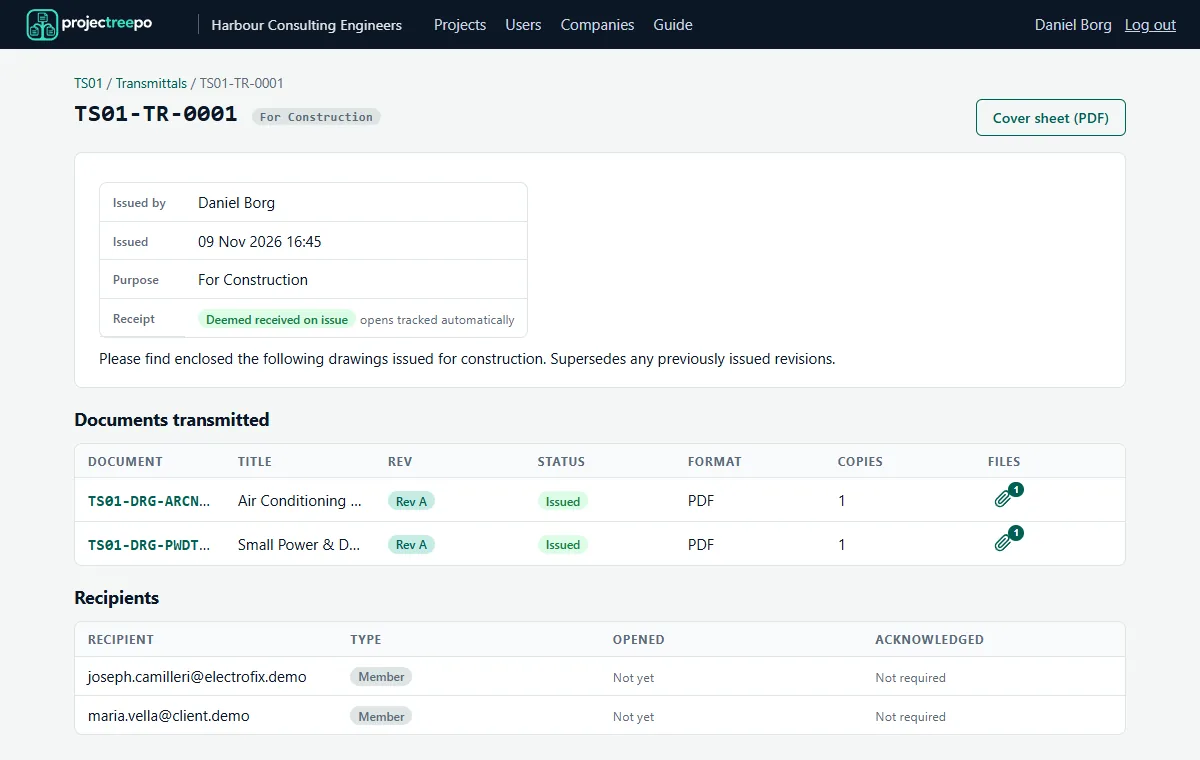
The issued register holds every drawing, specification and report the design team sends out, with each revision kept. Transmittals bundle them formally.

  • Transmittal cover sheets (PDF) with purpose, notes and document schedule
  • Recipient groups, project members and external email addresses
  • Acknowledgement links: see who opened and who acknowledged
  • Batch upload of drawing sets: each file becomes its own controlled document with its own ID
Transmittal detail page
Queries & changes

RFIs, site instructions and variations

The questions and changes that would otherwise get lost in email, each with an ID, a thread and a status.

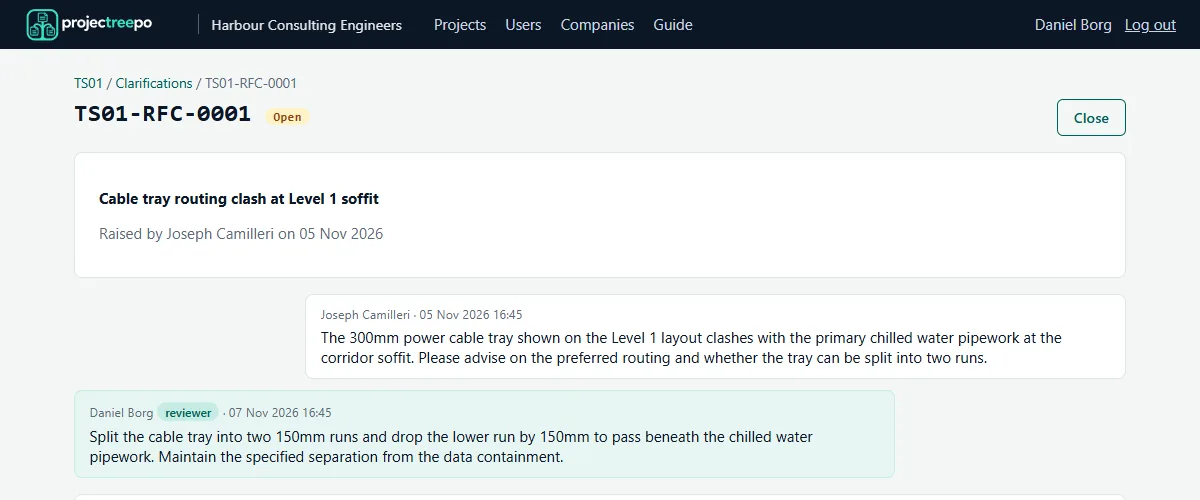
  • Clarifications (RFIs): threaded replies with attachments, open / closed status
  • Site instructions: issued with revisions, receipts and contractor acknowledgement
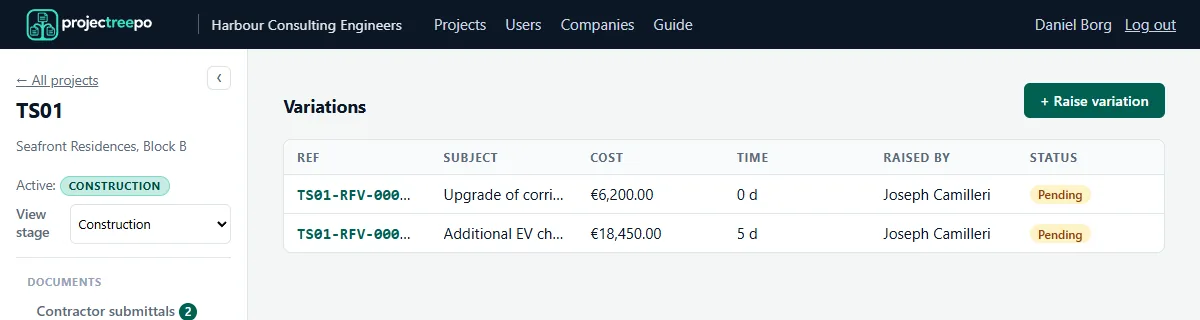
  • Variations: cost and time impact, revisions, and sign-off by both parties
A clarification thread between contractor and reviewer

Variations, with the money attached

The contractor raises a variation with its cost and programme impact. The approvers decide. Every revision and decision file is kept.

Variations register with cost and time impact
Site & QA

From the site walk to closed-out defects

  • Site notes with photos you can caption and annotate
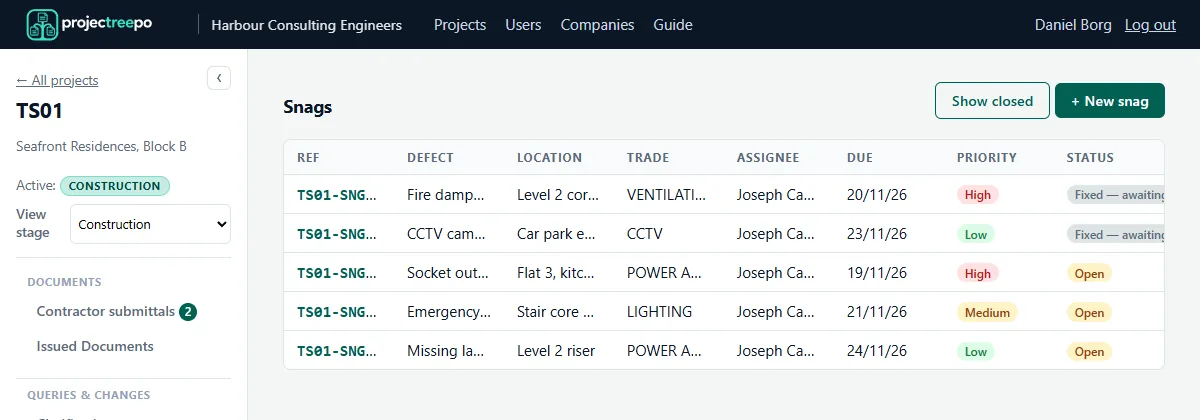
  • Snags: raised with location, trade, priority and due date; the contractor marks them fixed, you verify and close
  • Tasks with assignees and due dates, linked to documents or RFIs
  • Project discussion for quick, informal messages, kept apart from the formal record
Snag list with priorities and statuses
Tenders

Run the tender where the documents already are

Tender packs are built from the issued register, so tenderers get exactly the revisions you've issued.

  • Invite tenderers to a dedicated tender portal: they only see their tenders
  • Submission schedule: the returnables each offer must include
  • Tender clarifications: questions answered privately or published to all
  • Deadlines with reminders; offers lock at the closing time
  • Withdrawals and awards recorded on the tender
Handover

Closeout documents, collected and accepted

Tell the contractor what you need, track what's outstanding, and accept or reject each item as it arrives.

  • Certifications with a per-project list of certificate types and templates
  • Warranties with start and expiry dates, and reminders before they expire
  • As-built records, submitted and accepted like any other document
Project mailbox

The correspondence log fills itself

Each project has its own address, e.g. SR01@projectreepo.com. It is copied on every email the platform sends, and Reply-To points back to it, so replies land in the project's correspondence trail.

  • Email notifications for every step, with per-user preferences
  • Correspondence register per project, with every message logged
  • No forwarding rules or shared inboxes to maintain
The platform

Set up once per project, then it runs itself

Document IDs your way

Configure the ID format per project, e.g. project, type, discipline, originator, number and revision. Every document gets its ID automatically.

Lifecycle stages

Design, Tender, Construction and Closeout: pick the stages a project uses. Each stage opens the right sections, and closeout can lock the project read-only.

Export everything

One zip of every file on the project, organised in folders that match the app's sidebar, plus Excel exports of the registers.

Roles & permissions

Admin, contractor, client / employer, site inspector, variation approver, viewer and tenderer. See roles.

Organisations

Each firm is a separate organisation with its own users, companies and projects, fully isolated from every other.

Mobile & API

Works in any phone browser, and a token API covers submittal review, site notes, photos and RFIs for mobile apps and integrations.

Want to see a particular workflow?

Tell us how you run your projects and we'll show you how it maps.

Request a demo